Cleaning Your Apple Watch: A Simple Guide to Maintaining Its Shine and Function

Your Apple Watch does a lot. It tracks your health, keeps you connected, and even reminds you to breathe (ironically, right after a stressful day). But it’s also a magnet for dust, sweat, lotion, and grime. Over time, that build-up can make it look dull and even affect how it functions.

So, if you’ve been wondering how to clean Apple Watch properly without damaging it, here’s a simple, no-nonsense guide to keep it as shiny and responsive as day one.

Why Cleaning Your Apple Watch Actually Matters

It’s easy to forget, but your watch lives on your skin almost 24/7. That means it constantly comes into contact with sweat, dead skin, soap residue, and dust.

Neglecting to clean it can lead to:

  • Dull screen or residue around the crown
  • Sluggish Digital Crown movement
  • Faded strap colour
  • Skin irritation (especially in humid climates)

A regular cleanup doesn’t just maintain its looks — it keeps the sensors accurate, buttons smooth, and watch performance consistent. In short, cleaning is part of good Apple Watch Maintenance Tips.

Source: The Spruce

What You’ll Need

You don’t need fancy cleaning kits — just a few simple items most people already have:

  • A soft, lint-free cloth (microfibre works best)
  • Lukewarm water
  • Mild, fragrance-free soap (optional)
  • A soft toothbrush or cotton swab for detailed cleaning
  • 70% isopropyl alcohol wipes (only for external cleaning, not the sensors)

Important: Never use household cleaners, compressed air, or bleach-based products. And don’t submerge your watch unless it’s water-resistant (and even then, it’s best avoided).

Step-by-Step: How to Clean Your Apple Watch

  1. Power it off – hold the side button and turn off your watch.
  2. Detach the band – makes cleaning both the watch and strap easier.
  3. Wipe the watch – use a slightly damp cloth to remove fingerprints, oil, or residue from the case and screen.
  4. Clean the Digital Crown – gently rotate it under a bit of running water to dislodge dirt. Dry it with a lint-free cloth.
  5. Clean the back sensors – use a cotton swab lightly dampened with water to remove sweat residue.
  6. Dry thoroughly – make sure no moisture remains near speaker holes or the charging port area.

If you need to remove dirt from Apple Watch bands, soak them briefly in mild soapy water (unless they’re leather or metal). Leather straps should only be wiped with a slightly damp cloth — no soaking, ever.

Read More – Water Damaged Apple Watch
Source: Dezeen

Band-Specific Cleaning Tips

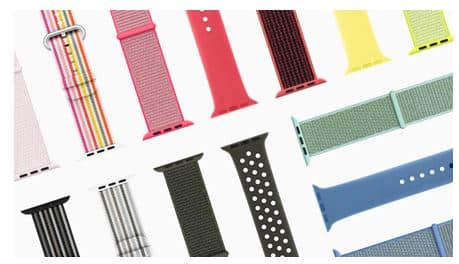
  • Silicone (Sport Bands): Rinse under warm water, use mild soap, dry with a soft towel.
  • Leather Bands: Wipe with a dry or barely damp cloth. Apply a leather conditioner occasionally.
  • Metal Bands: Use a dry microfibre cloth or a tiny bit of isopropyl alcohol for tough spots.
  • Nylon/Weave Bands: Soak gently in soapy water, rinse, and air-dry completely before reattaching.

Pro Tips from Rapid Repair

  • Clean it once every 1–2 weeks if you wear it daily.
  • Avoid charging it immediately after cleaning. Moisture can cause contact corrosion.
  • Never use ultrasonic cleaners or hair dryers (yes, people actually try that).
  • If your Digital Crown feels sticky even after cleaning, it might need a professional checkup. Internal dust or sweat buildup can interfere with movement.

FAQs

1. Can I use alcohol wipes on my Apple Watch screen?

Yes, 70% isopropyl alcohol wipes are safe for the exterior surfaces. Just don’t overuse them or touch the sensors with alcohol.

2. What’s the safest way to clean leather bands?

Use a soft, dry cloth and avoid direct contact with water. Apply a gentle leather conditioner if it looks dry or cracked.

3. My Digital Crown feels stuck — what should I do?

Rinse it gently under running water while turning the crown. If it still feels stiff, professional servicing might be required to remove internal residue.

4. How often should I clean my Apple Watch?

Once every couple of weeks for regular users, or more frequently if you work out or sweat often.

5. Can I use soap to clean the watch itself?

Mild soap is fine, but don’t let it enter the speaker, microphone, or sensor areas. Always rinse and dry properly afterwards.

Cleaning your Apple Watch isn’t rocket science — it just takes a bit of care and consistency. Keep it clean, and it’ll keep tracking your life with precision and shine for years to come

Read More – Why Specialized Repair Service Matters for Apple Devices?
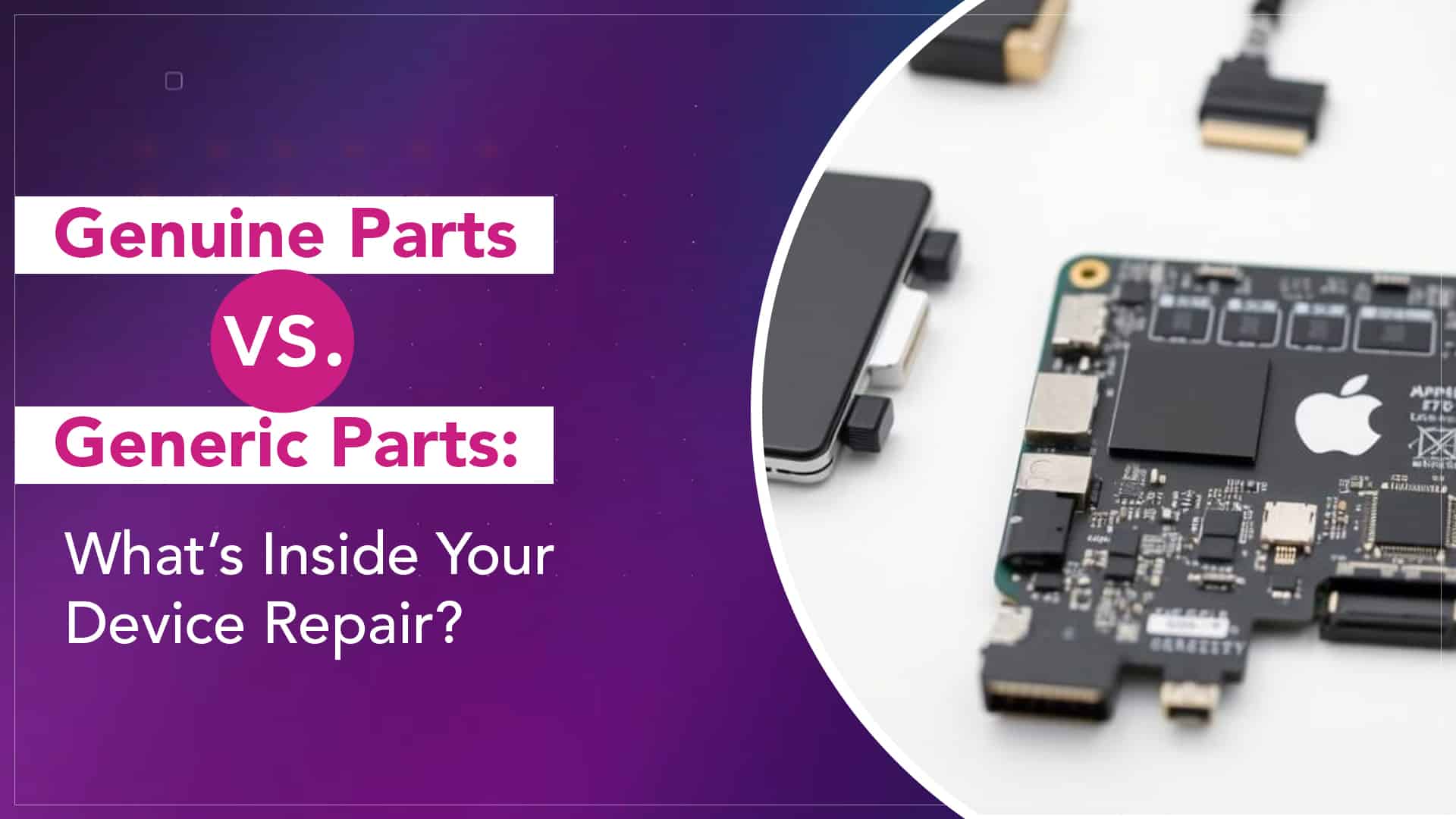
Genuine Parts vs. Generic Parts: What’s Inside Your Device Repair?

When your phone’s screen cracks, battery swells, or camera fails, you’re already in a stressful spot. The last thing you want is to walk out of a repair shop only to find out they installed low-quality parts that degrade faster, or worse, harm your device. That’s why understanding the difference between certified repair parts and generic/aftermarket replacements is more important than you think.

Whether you’re a tech enthusiast or just someone who wants reliable service, here’s what you should know before letting anyone crack open your device.

What Do “Genuine” or “Certified” Parts Mean?

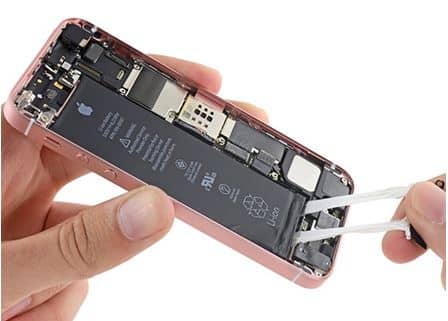
“Genuine parts” refer to components made or approved by the original manufacturer (Apple, in our context). These parts match the original design, tolerances, and materials and are built to meet the same standards as the ones in your new device.

When a repair shop claims to use certified repair parts, they’re saying the parts are either OEM (Original Equipment Manufacturer) or authorised/spares that meet the original specs. These parts tend to be costlier. But there’s a reason for that.

For example, Rapid Repair states they only use genuine spare parts, and they support each repair with a lifetime warranty (except batteries, which get 1 year) to back their confidence in quality.

Source: Hot Hardware

What Are Generic or Aftermarket Parts?

Generic or aftermarket parts are made by third parties, not by or for the original device maker. They may look similar, but they often cut corners in materials, tolerances, or testing. Sometimes they’re fine for low-impact components, but in high-precision devices like smartphones or watches, the risks add up.

You might see these come in as “cheap replacements,” “copy parts,” or even “compatible parts.” That’s where the phrase aftermarket parts risks comes into play. You’re trading price for uncertainty.

Why Genuine Parts Matter

Here are the benefits of genuine parts in a repair:

  1. Fit and compatibility
     Genuine parts are designed for your model. They fit snugly, align correctly, and avoid misalignment or tension that can damage connectors or flex cables.
  2. Optimal performance
     You’ll get the expected brightness, battery life, sensor accuracy, signal strength, and durability. Aftermarket parts may degrade faster or never reach full capacity.
  3. System integrity & warnings
     In Apple devices, non-genuine parts can trigger warning indicators (like “Unknown part installed”) in iOS or limit certain features. Genuine parts generally avoid those flags.
  4. Longer life & reliability
     Because they use better materials and tighter manufacturing tolerances, genuine parts resist issues like corrosion, warping, or early failure.
  5. Warranty and trust
     Repair providers using genuine parts can confidently back their work with stronger warranties. Rapid Repair, for instance, offers a lifetime warranty for most parts.

Read More – The New iOS 26 – Features and Facts You Must Know About

The Risks of Cheap Alternatives

When shops use aftermarket or generic parts, here’s what you might face:

  • Shortened lifespan: cheap adhesives, circuits, or coatings can fail sooner.
  • Inconsistent performance: screen artefacts, battery swelling, or weak sensors.
  • Device instability: mismatched voltage or resistance can damage surrounding components.
  • No warranty: shops using budget parts often can’t stand behind their work.
  • Loss of resale value: When someone inspects the device, non-genuine parts reduce your credibility and value.

That is exactly why aftermarket parts risks shouldn’t be overlooked when you compare quotes.

How to Know What Parts Are Being Used

Source: Apple Support

Here’s how you can protect yourself:

  • Ask the repair service explicitly whether they use genuine / OEM / certified parts. Demand clarity.
  • Check warranty terms: if they offer a lifetime or strong warranty, that’s a backup indicator of quality. Rapid Repair’s terms show they provide a lifetime warranty on most parts, and a 1-year warranty on batteries.
  • Request before/after photos of the part.
  • Watch for system warnings after repair — some devices alert you when parts are non-genuine.
  • Choose reputable repair providers who publicise their parts policy and stand behind their work.

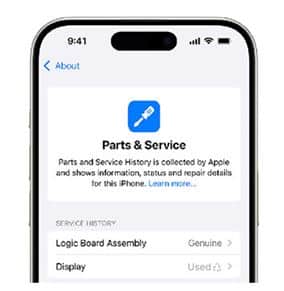
Apple has made it quite simple to check whether your iPhone’s parts — like the battery, display, or camera — are genuine or not. Here’s a step-by-step guide:

1. Go to Settings

Open Settings → tap on General → then tap on About.

2. Look for “Parts and Service History”

If your iPhone has ever had a part replaced, you’ll see a section titled “Parts and Service History.”
This section appears only on iPhones that support part verification (explained below).

3. Check What’s Listed

Depending on your model, you’ll see one or more of the following:

  • Battery
  • Display
  • Camera

If all components are genuine Apple parts, it will show:

  • “Genuine Apple Part”

If a part has been replaced with a non-genuine or unknown one, it will show:

  •  “Unknown Part”

When Generic Parts Might Be Acceptable (with Caution)

Yes, there are a few edge cases:

  • Non-critical parts — buttons, simple covers, or back glass (if the function isn’t affected) may tolerate good-quality generic substitutes.
  • Low-budget repairs — if your device is very old and you don’t mind reduced longevity, a cheaper solution may be better than no repair.
  • Temporary fixes — to limp your phone until you can go for a high-quality repair.

But even then, know the trade-off you’re accepting.

When your device enters a repair shop, the parts they use can make or break your experience. With certified repair parts or genuine parts, you’re paying for performance, longevity, and reliability, not just a quick fix. Ignoring the aftermarket parts risks might save you a few rupees now, but can lead to bigger headaches down the line.

Source: Android Authority

Trust matters just as much as technical skill. Choose repair providers who commit to quality parts and back them with clear warranties. Your device and nerves will thank you.

Read More – Top 5 DIY Fixes You Should Never Try At Home

FAQs

Q: Does using genuine parts really make a noticeable difference?

A: Yes. Especially in delicate components — screens, cameras, batteries, sensors — the difference shows in image clarity, sensitivity, battery life, and device stability.

Q: Will I be told if a part is generic or aftermarket?

A: A trustworthy repair shop will disclose that. If they don’t, assume risk and ask directly.

Q: Do non-genuine parts void my repair warranty?

A: Often yes. Many repair providers refuse warranty on work done with non-genuine parts.

Q: If a genuine part costs much more, is it always worth it?

A: In most cases, yes — especially for flagship devices. The longer life and peace of mind usually justify the higher price.

Q: How long does a warranty last on genuine parts?

A: It varies. Some shops, like Rapid Repair, offer a lifetime warranty on most parts (excluding batteries).

whatsapp logo