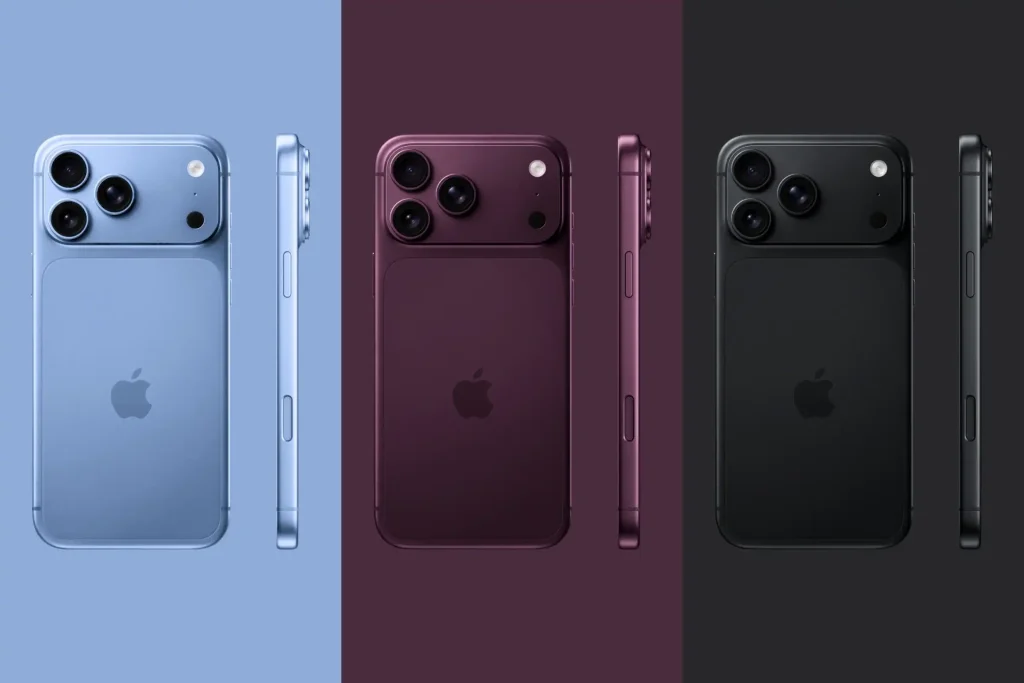
iPhone 18 Pro & Pro Max: Price, Release Date, Camera, Battery, and What’s Actually Inside

iPhone 18 Pro and Pro Max specifications and features

The iPhone 18 Pro and iPhone 18 Pro Max are officially out, and from the outside, they look almost identical to last year’s models.

Underneath, though, it’s a genuinely different phone: a new chip, a completely reworked cooling system, a camera with a moving aperture, and a battery jump big enough that Apple had to add a new feature just to handle it.

Here’s everything worth knowing, including what a teardown revealed once someone actually opened one up.

iPhone 18 Pro Max Release Date

Apple announced both phones at its September 9 event and opened pre-orders on September 12. They officially went on sale on September 19, alongside the rest of the new lineup revealed that day.

iPhone 18 Pro Max Price

Pricing went up this generation:

  • iPhone 18 Pro– ₹1,64,900
  • iPhone 18 Pro Max– ₹1,79,900

Storage options run from 256GB up to 2TB on both models, with pricing climbing accordingly at each tier.

iPhone 18 Pro Features

A20 Pro Chip

Both phones run Apple’s new A20 Pro, built on a 2nm process. It brings a 6-core CPU, a 7-core GPU that’s meaningfully faster than last year’s chip, and a Dual 16-core Neural Engine, which roughly doubles the on-device AI processing power. That Neural Engine is what’s actually driving most of the new Siri AI and Apple Intelligence features running on the phone.

Source: Macworld

A Completely Reworked Cooling System

This is one of the more interesting engineering changes this year. Apple moved the A20 Pro to the outer side of a redesigned, two-layer logic board, with the RAM sitting right next to it instead of stacked on top. That shortens the distance heat has to travel to reach the vapour chamber, which itself now has roughly triple the surface area of the previous generation.

The result is meaningfully better sustained performance under heavy use: the phone holds its speed longer instead of slowing down as it heats up.

iPhone 18 Pro Battery Life

Apple’s calling this the biggest battery-life jump in iPhone history, and the actual numbers back it up:

  • iPhone 18 Pro– up to 36 hours of video playback
  • iPhone 18 Pro Max– up to 45 hours of video playback

Worth knowing: those top figures apply to the eSIM-only versions sold in some regions. Models with a physical SIM tray (common outside the US) carry a slightly smaller battery to make room for the card slot, so real-world battery life runs a touch lower on those units. In raw numbers, the eSIM iPhone 18 Pro packs a 16.76 Wh (4,288 mAh) battery, while the Pro Max jumps to 21.75 Wh (5,567 mAh).

iPhone 18 Pro Camera

The headline camera feature this year is a genuine variable aperture on the 48MP main sensor, a first for iPhone. It works through six paper-thin mechanical blades, driven by tiny electromagnets, that physically open and close to control how much light hits the sensor. This gives you four aperture settings between f/1.48 and f/4.0, which changes both how much light comes in and how much background blur you get, similar to how aperture works on a real camera lens.

Source: Cined.com

New Pro Controls let you manually adjust that aperture, along with shutter speed and white balance, directly in the Camera app, alongside 4K Dolby Vision HDR recording and a new Reference Image feature that can verify whether a photo has been AI-edited.

iPhone 18 Pro Teardown: What’s Actually Inside

Once the phones hit shelves, repair specialists did what they always do, took them apart to see how they are actually built. A few things stood out:

  • The battery is easier to access than before: It now sits in a metal tray held down by screws rather than glued in place, and in testing, applying a small electrical current loosened the remaining adhesive in about 90 seconds. That’s a genuine repair improvement over older models.
  • The camera is a different story: During disassembly, one of the aperture’s six blades physically flew off the lens stack, a clear sign of how delicate that mechanism is. If the aperture ever jams or fails, there’s no fixing it blade by blade; the entire camera module needs replacing.
  • Nearly every repair still goes through the screen: The back glass comes off easily, but the only component behind it is the wireless charging coil everything else, including the battery, is reached by opening the display first.
  • A recurring issue with the display frame: In three out of four units opened, the white plastic frame around the screen cracked or pulled away during removal. Since that frame is part of the display assembly itself, fresh adhesive alone can’t fix it if it breaks, and a damaged frame risks compromising the phone’s water resistance after reassembly.

Based on all of this, both the iPhone 18 Pro and Pro Max a provisional gets repairability score of 7 out of 10. Matching the iPhone 17 Pro and 16 Pro before it. The screw-mounted battery and modular camera are genuine wins, but the fragile display frame and the effectively unrepairable aperture mechanism are real trade-offs if something goes wrong down the line.

What This Means If You’re Getting Yours Repaired

That teardown detail about the display frame is a real, practical concern. If your iPhone 18 Pro or Pro Max ever needs a screen replacement, a battery swap, or any internal repair, the process now carries a slightly higher risk of damaging that plastic frame if it’s not handled carefully, and a compromised frame can affect the phone’s water resistance afterward.

This is exactly why the repair matters as much as the diagnosis. Rapid Repair works on iPhone repair with genuine parts and technicians who know these tighter, more delicate builds because with a phone like this, a rushed or careless repair can easily turn a small fix into a bigger problem.

Got an iPhone 18 Pro or Pro Max that needs a screen, battery, or camera repair? Talk to Rapid Repair. Careful handling, genuine parts, and a team that actually understands what’s changed inside this year’s phones.

Read – iOS 27 Is Here: New Features, Supported iPhones, and the Bugs You Should Know About

iOS 27 Is Here: New Features, Supported iPhones, and the Bugs You Should Know About
iOS 27 New Features: Supported iPhones & Bugs to Know

iOS 27 officially rolled out on September 14, and it’s less about new icons and more about Apple finally giving Siri the power everyone’s been waiting years for. If you have already updated, or you are deciding whether to, here’s everything worth knowing. The real iOS 27 new features, which iPhones get the full experience, and the update problems people are running into so far.

What’s Actually New in iOS 27

Apple kept this release focused on three things: a smarter Siri, more safety and privacy controls, and general performance polish. Here’s what stands out.

Siri AI Is the Headline Feature

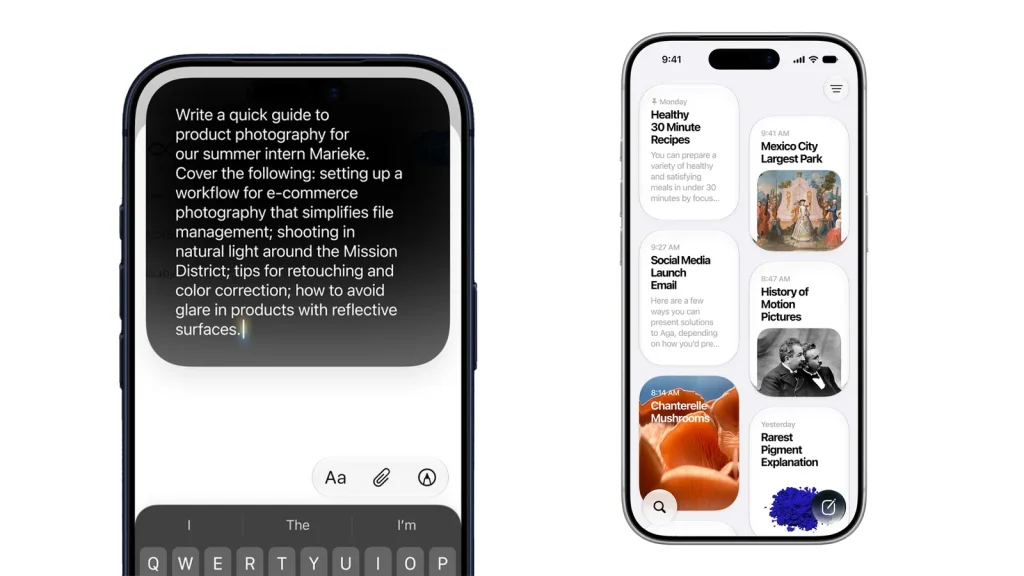
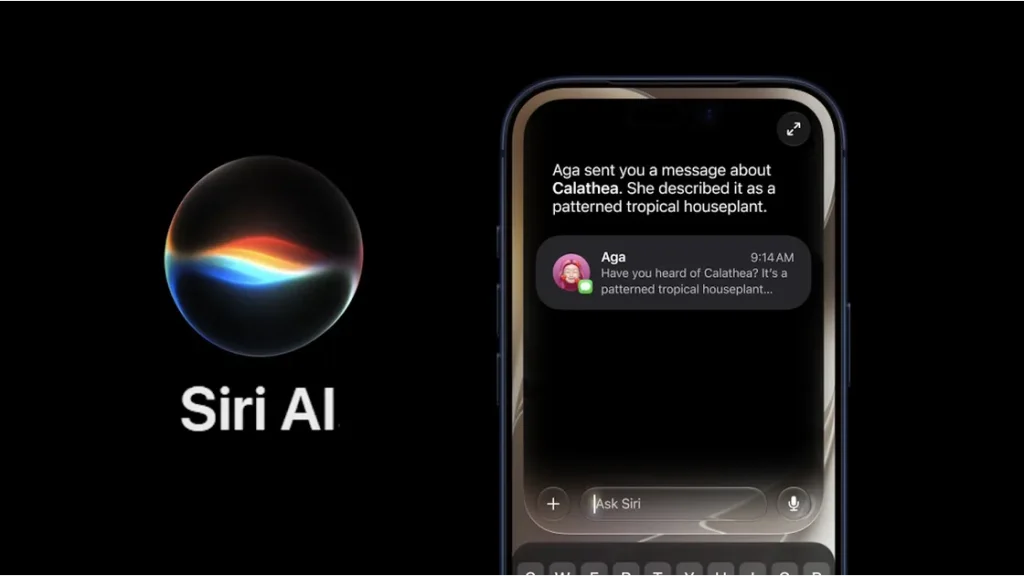
The classic Siri everyone’s used to complaining about has been rebuilt from the ground up. Siri AI works a lot more like a proper conversational assistant; it can pull from your personal information on the device, understand what’s currently on your screen, and take actions across apps that support it. There’s now a dedicated Siri app too, alongside the usual press-and-hold shortcut.

 Siri AI Features in iOS 27

Image Credit – Apple

A few things to know:

  • It’s English-only at launch, with more languages coming later.
  • There’s a daily usage limit for now, with expanded access planned as a paid option down the line.
  • Siri AI isn’t available in the EU yet, due to an ongoing regulatory situation with the European Commission.

Smarter Photos and Camera Tools

The Photos app picked up a couple of genuinely useful AI features. Extend can fill in the edges of a photo that doesn’t match your screen’s aspect ratio, which is handy for wallpapers. Spatial Reframing lets you shift the perspective of an older photo to fix composition, and it works on photos taken with any camera, not just an iPhone.

Get Reframe feature under the editing section of an image

Image Credit – Apple

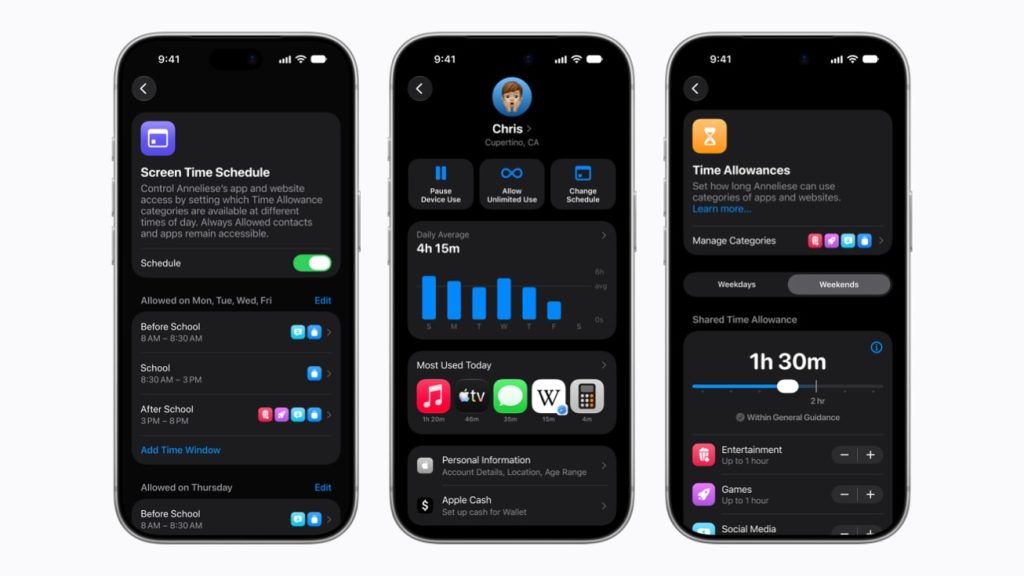
Expanded Parental Controls

iOS 27 gives parents noticeably tighter oversight: more control over what kids can access, who they can contact, and when specific apps are usable. It’s a meaningful step up from what iOS 26 offered.

Apple's new child-safety features give parents more control over websites, communication and screen time across devices

Image Credit – Apple

Everyday Performance Feels Better

This is the part that matters most if you are not chasing AI features. Independent testing found the Camera app launching noticeably faster and Maps loading quicker on older hardware, along with smoother animations and transitions system-wide. Apple says it’s addressed a long list of small user frustrations this time around, which tracks with how the update actually feels in daily use.

Everyday Performance Feels Better siri ios 27

Image Credit – Wired

iOS 27 Supported iPhones

Here’s where it gets a little layered, since not every supported iPhone gets every feature.

  • Basic iOS 27 compatibility covers the iPhone 11 and later, including the second-generation iPhone SE- the exact same list as iOS 26, so nothing got dropped this year.
  • Apple Intelligence and standard Siri AI features need an iPhone 15 Pro or newer- iPhone 15 Pro/Pro Max, iPhone 16 series, iPhone 16e, and iPhone 17.
  • The most advanced on-device AI model– the one behind more expressive Siri voices and higher-accuracy dictation is limited to devices with at least 12GB of RAM. Right now, that’s only the iPhone 17 Pro, iPhone 17 Pro Max, iPhone Air, iPhone 18 Pro, iPhone 18 Pro Max, and iPhone Duo.

So, if you are on an older iPhone, you will still get the update, the performance improvements, and general refinements; you just won’t get the fanciest Siri AI capabilities until you are on newer hardware.

iOS 27 Update Problems and Fixes

As with pretty much every major iOS release, the first few days brought a familiar batch of complaints. If you are dealing with iPhone problems after the iOS 27 update, here’s what’s actually going on and how to handle it.

Battery Draining Faster Than Usual

This is the single most common complaint right now, and it’s mostly expected. Right after a major update, your iPhone is quietly indexing content, syncing iCloud data, and reprocessing photos in the background. All of which eats extra battery for a few days.

What to do:

  • Give it 48 to 72 hours before judging battery life properly.
  • Check Settings > Battery for any app using an unusually large share of power.
  • Turn on Low Power Mode temporarily if it’s bothering you.
  • Avoid heavy gaming or video editing right after updating, since that adds extra strain while the system’s still settling in.

The iPhone Running Warm

A slightly warmer phone for a day or two after updating is normal: same root cause as the battery drain, just showing up as heat instead. Removing a thick case for a while helps it cool down faster, and it should settle on its own.

Apps Crashing or Freezing

If a third-party app that worked fine before suddenly crashes or freezes, it’s very likely the developer has not pushed an update to match iOS 27 yet. Check the App Store for pending app updates: banking apps, games, and enterprise software are usually the slowest to catch up.

Siri AI Not Working as Expected

Some users are running into an eligibility or waitlist issue with the new Siri AI, separate from the device compatibility requirements above. If it’s not responding the way it should, double-check you are on a supported iPhone and give it a few more days as Apple continues the rollout.

When to Actually Worry

Most of this settles within a few days on its own. But if your iPhone stays unusually hot, keeps losing charge rapidly while just sitting idle, or keeps crashing well after the initial settling-in period, that’s not typical post-update behavior anymore, and it’s worth getting it looked at rather than assuming it will fix itself.

If the Problem Isn’t Going Away

A software update should not permanently drain your battery or make your iPhone run hot all the time. If it’s still happening a week or more after updating, the update may have simply exposed a battery or hardware issue that was already sitting under the surface.

Still dealing with battery drain, overheating, or a sluggish iPhone well after updating to iOS 27? Get it diagnosed and repaired by Rapid Repair. Genuine parts, a proper hardware diagnostic, and technicians who can tell you whether it’s really the software or something underneath that needs fixing.

Read – Apple’s “Surprise and Shine” Event 2026: Everything Announced on September

iPad Screen Replacement Cost: Model Wise 2026

Listen to this blog:

The cost of iPad screen replacement depends mainly on the iPad model, screen type, and extent of the damage. Based on the models and repair prices listed below, iPad screen replacement costs can range from ₹5,500 to ₹45,000.

iPad Screen Replacement Cost: Key Highlights

  • Price Range: iPad screen replacement in india costs typically range from ₹5,500 to ₹45,000, depending on the model and type of screen repair required.
  • Model Matters: Repair costs vary significantly between the standard iPad, iPad Air, iPad Mini, and iPad Pro series. Newer and higher-end models generally have higher replacement costs.
  • Digitizer vs. Display: A damaged touchscreen digitizer may cost less to replace than the complete display assembly. The appropriate repair depends on the type and extent of screen damage.
  • Damage Assessment: The final repair requirement can only be determined after checking the device. Cracked glass, touch issues, display lines, black spots, or a completely damaged screen may require different repair solutions.
  • Repair or Replacement: Before replacing an iPad, compare the screen repair cost with the current value of the device to determine whether repairing it makes financial sense.
  • Post-Repair Compatibility: A properly performed screen replacement should maintain compatibility with supported iPad functions and accessories, such as Apple Pencil or Smart Keyboard, where applicable.

For an accurate estimate, identify your iPad model and generation and check the corresponding replacement price in the table below.

Cost for iPad Models Requiring Digitizer & Display Replacement:

If you own an iPad model where both the digitizer (touchscreen) and display to be replaced, the following section provides detailed costs for the necessary repairs.

 iPad LCD / OLED Display Replacement Cost

For other models where the entire Display panel needs replacement, detailed costs are provided.

Factors Affecting iPad Screen Replacement Cost.

Following factors affect your iPad Screen Replacement Cost.

Physical Damage (Cracked Screen):

  • If your iPad screen has a crack, some models allow for partial replacement of the digitizer (the screen component). This option is more cost-effective, typically around 50% of the total cost.
  • Check if your specific iPad model supports this partial replacement.

Pressure Damage:

  • Common Issue: Given the larger screen sizes (like the 10.2″ iPad), users sometimes press too hard, causing the Liquid Retina display (LCD) to leak colors or develop dead pixels.
  • Full LCD Replacement: In most cases, when pressure damage occurs, the entire LCD needs replacement. Costs may be higher.
  • Exception: Some models have a separate digitizer unit. If touch functionality still works despite pressure damage, you can opt for LCD replacement only, saving on digitizer costs.

Liquid Damage or Complete Display Damage:

  • iPad Pro Models and Latest Air Models: These devices operate with Face ID (no traditional home button). Consequently, they have a full display panel.
  • Replacement Option: For liquid damage or extensive display damage, the only choice is to replace the entire display panel. This tends to be the most expensive repair option.

How iPad Screen Replacement Prices Are Determined

The iPad screen replacement prices listed on this page are based on the iPad model, generation, type of replacement required, and the replacement part used for the repair. Prices are reviewed against the repair services and parts currently available for the listed iPad models.

The cost can differ depending on whether the iPad requires a digitizer replacement, LCD/display replacement, or complete display assembly. The final repair requirement is confirmed after diagnosing the device.

Price information on this page is reviewed periodically and may change based on model availability, replacement-part availability, and repair requirements. Prices shown are applicable to the models listed in the tables above.

Last price review: September 2026

Warranty on a replacement of iPad Screen:

It depends on the part quality and service provider. If you are going with cheap aftermarket part from a local repair shop, then one shall not expect any warranty. Almost all other online service providers offer 90 Days limited warranty that does not cover Physical Damage, Water Damage and Pressure Damage. Some Independent Service Providers like RapidRepair in India provide legitimate Life Time Warranty on all iPad Screen Replacement Service. You need to be careful with other imposters providing similar term, hence a GST Invoice with proper HS Code gives you a peace of mind regards the legitimacy of the warranty terms offered on your iPad Screen Replacement service. 

iPad Screen Replacement Service Availability in India

Rapid Repair provides iPad screen replacement services across multiple locations in India. Pickup-based service may be available depending on your city and the iPad model.

Cities currently served include: Delhi NCR, Gurgaon, Noida, Faridabad, Ghaziabad, Bangalore, Ahmedabad, Jaipur, Indore, Dehradun, Chandigarh, Lucknow, Kolkata, Bhubaneswar, Coimbatore and Kanchipuram.

Service availability, pickup schedules, repair time and replacement-part availability should be confirmed before booking the repair.

How to get iPad screen replacement at Rapid Repair

It’s a 2-3 hours job for any iPad screen replacement service. Yes, the first step is Diagnosis and it does not take more than 30 minutes and then the post repair drying off period shall be another 1 hour. 

All of this is done the very same day. To help us achieve that, you just need to follow 3 simple steps:

Contact one of our tech experts at +918130609004 via call or WhatsApp and let them know your iPad model.

Post your first call, they will quickly get repair cost and time estimate along with scheduling the pickup of your iPad from any location in India.

Once you agree to the estimate, our Ops team will contact you to work out the schedule for your iPad repair session. You may choose different location and time slots for the pickup as per your convenience, once done it will be safely delivered back to you as new as it could be. 

FAQs

1. How much does it cost to replace an iPad screen in 2026?

The cost typically ranges from ₹4,000 to ₹45,000+, depending on the iPad model, screen type (LCD vs. Liquid Retina), and whether original or compatible parts are used.

2. Which iPad models are cheaper to repair?

Older models like iPad 7th, 8th, and 9th Gen are usually more affordable because parts are widely available and easier to replace.

3. Why is iPad Pro screen replacement more expensive?

iPad Pro models use advanced displays (Liquid Retina, ProMotion, laminated panels), which are more delicate and costly to repair.

4. Does the cost differ between glass replacement and full display replacement?

Yes. If only the top glass is damaged, the repair is cheaper. If the LCD/display is also damaged, the entire panel must be replaced, which costs significantly more.

5. How long does an iPad screen replacement take?

Most repairs are completed within 1–3 hours, but premium models may take longer due to complex assembly.

6. Will my data be safe during the repair?

Yes, screen replacement does not affect your data. However, it’s always recommended to back up your device before repair.

7. Can I replace only the cracked glass on my iPad?

It depends on the iPad model and the extent of damage. Some models support separate digitizer replacement, while others require the complete display assembly.

8. Will iPad screen replacement delete my data?

Screen replacement normally does not require deleting your data. However, backing up your iPad before repair is recommended.

9. Can I get my iPad repaired without visiting a store?

Depending on your location, pickup-based repair may be available. You can provide your iPad model and location to confirm availability.

Conclusion

Replacing iPad Screen Cost varies from model and iPad type explained above. We recommend that it should be diagnosed properly by professionals and then you can make an informed decision. For all your Apple device repair needs, trust the pros at Rapid Repair, India’s best iPad repair company. Call or WhatsApp at 8130609004 and connect with one of their tech experts.

Apple Watch Black Screen but Still Vibrating? Here’s What’s Going On

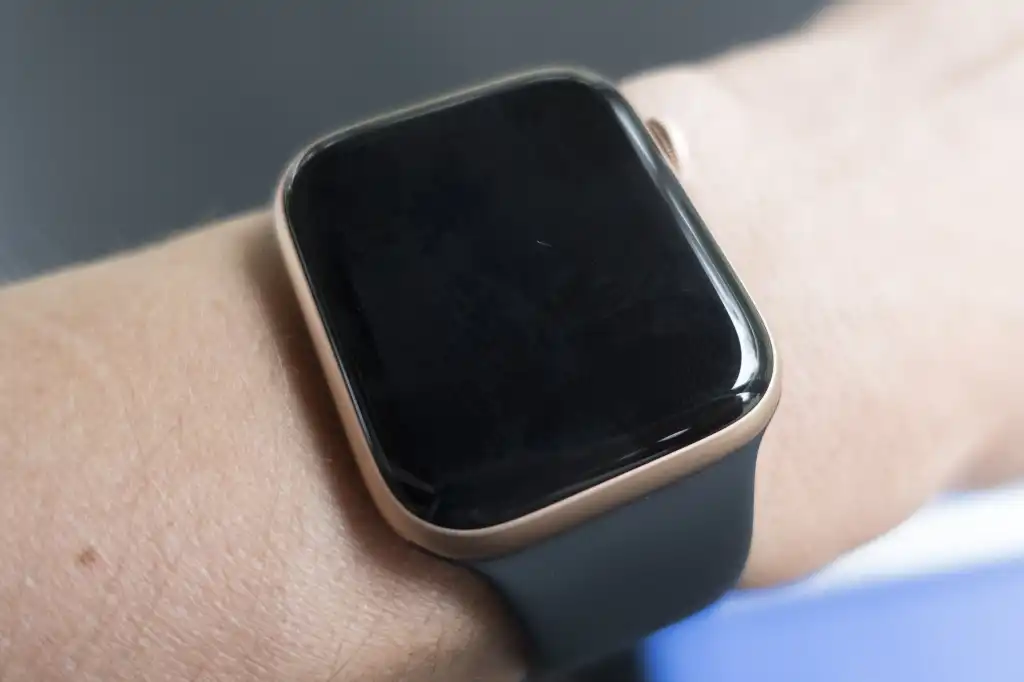
Apple Watch with black screen still vibrating

You feel the tap on your wrist a notification, an alarm, something- but when you look down, the screen’s just black. Nothing. No time, no complications, not even a flicker. Yet the watch is clearly working under there, since it’s still buzzing away. An Apple Watch black screen but still vibrating is one of those common and confusing issues. Is it dead? Is it fine? Nobody knows until you actually dig in.

Let’s go through why this happens and what’s actually worth trying.

Why the Screen Goes Black While Everything Else Still Works

The fact that your watch is still vibrating is actually useful information. It means the processor, the battery, and the taptic engine (the thing responsible for those buzzes) are all powering on and responding. So whatever’s wrong is most likely isolated to the display itself, or how the watch is showing what’s on it. That’s a good sign, and it usually means this is fixable, and often without needing a full replacement, here are the reasons:

Inage Credit – Macworld

1. The Watch Is Just Asleep

Apple Watch screens turn off automatically to save battery, and if your wrist detection settings are a certain way, or you’ve got the display set to not wake on wrist raise, it can look like the screen’s dead when it’s really just off. This confuses people more than you can expect.

Try this first:

  • Tap the screen directly, or press the Digital Crown.
  • Raise your wrist in a normal, deliberate motion — sometimes a lazy flick doesn’t register.
  • Check Settings > Display & Brightness > Wake on Wrist Raise, and make sure it’s actually turned on. This check is to be done on the Watch App on the iPhone it is paired with. You will be able to change settings from there also and it will take effect on the watch.

2. Low Battery Weirdness

Occasionally, a battery that’s critically low can cause the screen to stop responding while the watch still has just enough energy to buzz for notifications. It’s an odd in-between state, but it happens.

What to do:

  • Put the watch on its charger and leave it for at least 30 minutes.
  • Look for the charging symbol or any sign of life on the screen once it’s had some time.
  • If it’s completely unresponsive even after a solid charge, this isn’t a battery issue anymore.

3. A Software Freeze

Sometimes it’s genuinely just a glitch: the software locked up mid-process, and the screen froze on black instead of crashing back to the watch face. This is honestly one of the more common causes, and also the easiest one to fix.

Force restart it:

  1. Press and hold both the side button and the Digital Crown at the same time.
  2. Keep holding until you see the Apple logo — this can take about 10 seconds.
  3. Let go once the logo appears and let it boot back up normally.

If the screen comes back after this, you were dealing with a software hiccup, not a hardware fault.

Read – Apple Watch Touch Screen Not Working? Causes and Proven Fixes

4. A Cracked or Damaged Display

If your watch took a knock, a drop, or got caught on something recently, a damaged display is very likely your actual answer, even if there’s no visible crack on the surface. The screen and its internal connector are delicate, and physical impact can knock the connection loose without leaving an obvious mark.

Apple Watch black screens not turning on situations that follow a drop usually fall into this category, and they won’t resolve with a restart no matter how many times you try it.

5. Water or Moisture Damage

Apple Watches handle sweat and light splashes fine, but they are not invincible. Sustained moisture exposure, a long swim, an unexpected downpour, a sauna session can seep past the seals over time and affect the display connection internally, even if the rest of the watch still works.

How to Tell If It’s Software or Hardware

A quick way to narrow it down:

  1. Try a force restart first: this rules out the easiest and most common cause.
  2. Charge the watch fully and check again.
  3. Think back to whether it’s been dropped, knocked, or exposed to water recently.
  4. If none of that brings the screen back, you are looking at a hardware issue, most likely the display or its connector.

When It’s Genuinely a Hardware Problem

If you have force restarted, charge it fully, and there’s still nothing on the screen despite the vibrations continuing, this is an Apple Watch black screen fix that needs an actual technician, not more troubleshooting. Continuing to use the watch like this isn’t really practical either, since you are missing everything on the display while still getting drained by notifications you can’t see.

Rapid Repair handles Apple Watch repair, including screen replacements, using genuine parts so the fix actually holds instead of failing again a few months later. A proper repair starts with diagnosing whether it’s the display, the connector, or something deeper, so you are not paying for guesswork.

Still stuck with an Apple Watch vibrating but screen not working, no matter what you try?Get it looked at by Rapid Repair. Genuine parts, technicians who actually know these tiny, tightly-packed devices, and a diagnosis before any repair, not after. No more guessing what’s wrong with hidden mechanisms.

Read – Apple Watch SE Ghost Touch: Why Your Screen Taps Itself & How to Fix It

Apple’s “Surprise and Shine” Event 2026: Everything Announced on September 9

Apple Surprise and Shine event featuring iPhone Duo, iPhone 18 Pro, Apple Watch and AirPods 5

Apple just wrapped its biggest event of the year, and honestly, it delivered. This wasn’t just another iPhone refresh, it was the first keynote under new CEO John Ternus, who took over from Tim Cook earlier this month, and Apple used it to finally launch something people have been asking about for years: a foldable iPhone.

Here’s a full breakdown of what got announced on Apple September 9, 2026 event, and what it actually means if you are holding onto an older Apple device right now.

The Big One: iPhone Duo, Apple’s First Foldable

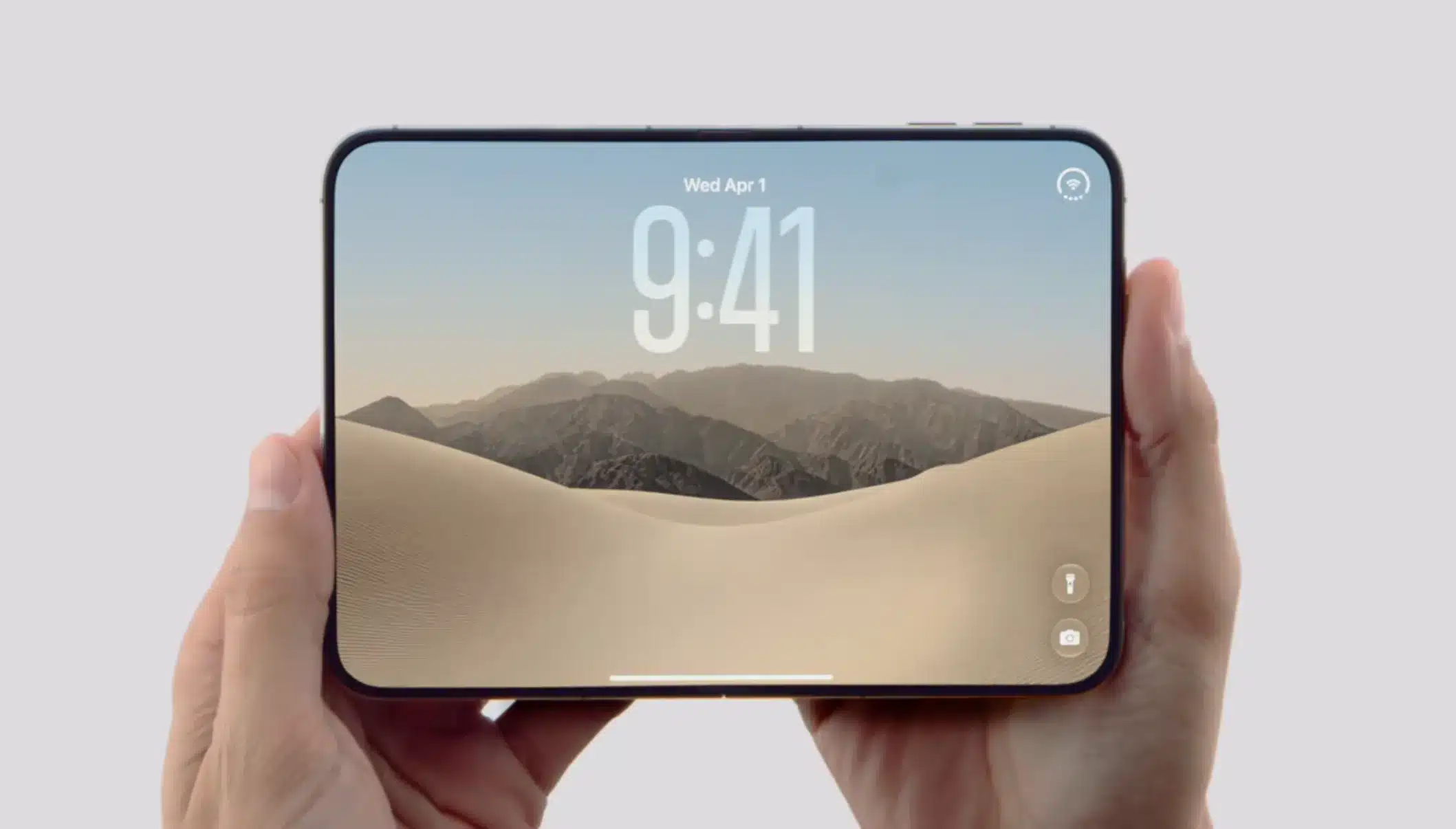
The headline reveal in the Apple event was the iPhone Duo, Apple’s first-ever folding iPhone. It opens like a book, with a 5.4-inch outer display for everyday use and a 7.6-inch inner display that turns it into something closer to a mini tablet when unfolded. Both are Super Retina XDR panels hitting up to 3,000 nits of peak brightness, and there’s a nano-texture finish on the inner screen specifically to hide the fold line and cut down glare.

 iPhone Duo first foldable iPhone


A few standout details:

  • Titanium frame with a 3D-printed titanium hinge cover.
  • IP68 rated for dust and water resistance, which is genuinely impressive for a foldable.
  • No Face ID- it uses Touch ID built into the side button instead, plus the option to unlock it with your Apple Watch.
  • Runs on the same A20 Pro chip as the iPhone 18 Pro.
  • Starts at ₹2,99,900 and launches in October.

It’s a serious first attempt, and it puts Apple properly in the foldable conversation alongside Samsung and Google.

iPhone 18 Pro and iPhone 18 Pro Max

The more familiar lineup also got its expected upgrade, built around five key changes:

  • A20 Pro chip:  a 2nm chip with a Dual 16-core Neural Engine, roughly doubling on-device AI processing power.
  • Battery life: up to 36 hours of video playback on the iPhone 18 Pro and 45 hours on the Pro Max, Apple’s biggest battery-life leap on iPhone yet.
  • Smarter cooling: a redesigned vapor chamber with three times the surface area of last year’s, plus new graphite and copper materials, so performance holds up longer under heavy use instead of throttling.
  • Camera aperture:  a genuine variable aperture on the 48MP main camera, a first for iPhone, giving real hardware control over exposure and depth of field.
  • Siri AI: deeper Apple Intelligence integration across the system, including inside the Camera app itself.

Img Credit – macworld

Pricing did go up this year- ₹1,64,900 / ₹1,79,900 respectively, about ₹ 9500 more than last year’s models, with pre-orders opening September 12 and devices arriving in stores September 18.

Worth noting: there’s no standard iPhone 18, no iPhone 18e, and no iPhone Air 2 this cycle. Apple’s reportedly pushing those to spring 2027, so if you were waiting for a more affordable new iPhone, that wait just got longer.

Apple Watch Series 12 and Apple Watch Ultra 4

On the wearables side, the Apple Watch Series 12 picked up a new chip, all-day heart-rate tracking, an optional ceramic case, and a new ambient-sensing day-summary feature paired with a Readiness app, all without storing any audio, according to Apple.

Imge Credit – GSMarena

The Apple Watch Ultra 4 got a similar refresh, with longer battery life and a chip tuned specifically for the new Siri AI features. Notably, there was no new Apple Watch SE this round.

AirPods 5

Apple also refreshed the entry-level AirPods lineup. The new AirPods 5 start at ₹14,900 (₹17,900 with wireless charging case) and bring Active Noise Cancellation that cuts up to 50% more noise than the previous AirPods 4 ANC model. Battery life comes in at up to 5 hours with ANC on, and 22 hours total with the case. They also pick up Live Translation and hands-free Siri AI, features that now work across Apple’s whole AirPods lineup.

iOS 27 and the Software Side

Alongside the hardware, Apple confirmed iOS 27 arrives as a free update on Monday, September 14. The new Siri AI features launch in beta first in English, with French, Japanese, Korean, Portuguese, and Spanish rolling out in October.

What This Means If You’re Not Upgrading Right Away

Here’s the part that actually matters for most people: new iPhone prices went up again this year, and a lot of folks are going to sit this generation out, especially with the standard iPhone 18 pushed all the way to spring 2027. If that’s you, your current iPhone, Apple Watch, or AirPods still have plenty of life left, as long as they’re actually working the way they should.

This is usually the point where small, ignorable issues like a battery that doesn’t last like it used to, a cracked screen you have been meaning to deal with, a charging port that’s gotten fussy start to matter more. Since you are relying on the same device for a while longer. Fixing what you have already got is almost always more practical than jumping into a $1,199+ upgrade just because something minor stopped working right.

Got a device you are planning to hold onto a bit longer, but something’s not quite right with it? Get it checked out by Rapid Repair. Genuine parts, real diagnostics, and repairs that actually hold up, so your current iPhone, iPad, or Apple Watch can comfortably make it to whichever Apple event you decide to upgrade at.

whatsapp logo