

iOS 27 officially rolled out on September 14, and it’s less about new icons and more about Apple finally giving Siri the power everyone’s been waiting years for. If you have already updated, or you are deciding whether to, here’s everything worth knowing. The real iOS 27 new features, which iPhones get the full experience, and the update problems people are running into so far.
What’s Actually New in iOS 27
Apple kept this release focused on three things: a smarter Siri, more safety and privacy controls, and general performance polish. Here’s what stands out.
Siri AI Is the Headline Feature
The classic Siri everyone’s used to complaining about has been rebuilt from the ground up. Siri AI works a lot more like a proper conversational assistant; it can pull from your personal information on the device, understand what’s currently on your screen, and take actions across apps that support it. There’s now a dedicated Siri app too, alongside the usual press-and-hold shortcut.
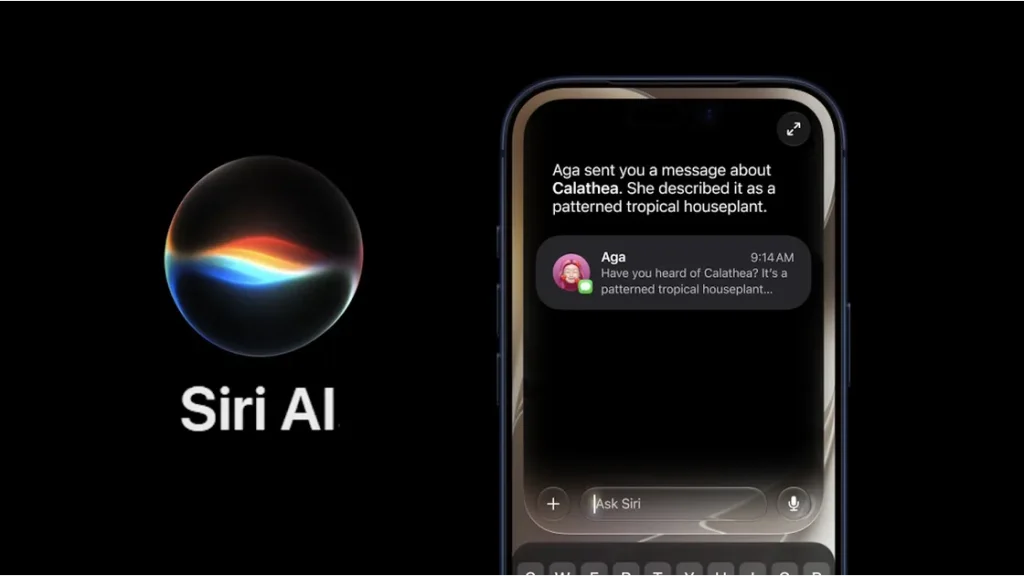
Image Credit – Apple
A few things to know:
- It’s English-only at launch, with more languages coming later.
- There’s a daily usage limit for now, with expanded access planned as a paid option down the line.
- Siri AI isn’t available in the EU yet, due to an ongoing regulatory situation with the European Commission.
Smarter Photos and Camera Tools
The Photos app picked up a couple of genuinely useful AI features. Extend can fill in the edges of a photo that doesn’t match your screen’s aspect ratio, which is handy for wallpapers. Spatial Reframing lets you shift the perspective of an older photo to fix composition, and it works on photos taken with any camera, not just an iPhone.

Image Credit – Apple
Expanded Parental Controls
iOS 27 gives parents noticeably tighter oversight: more control over what kids can access, who they can contact, and when specific apps are usable. It’s a meaningful step up from what iOS 26 offered.
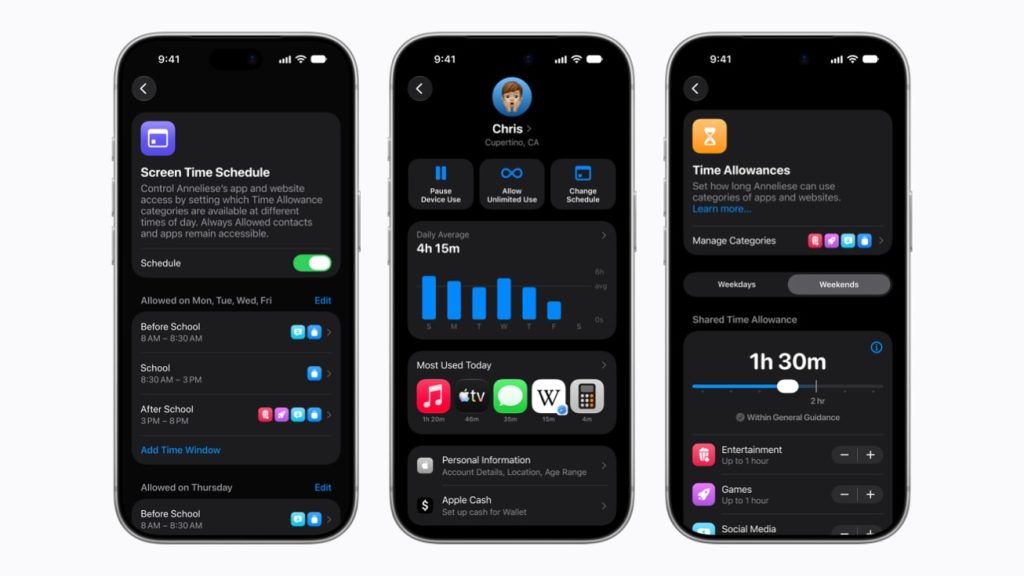
Image Credit – Apple
Everyday Performance Feels Better
This is the part that matters most if you are not chasing AI features. Independent testing found the Camera app launching noticeably faster and Maps loading quicker on older hardware, along with smoother animations and transitions system-wide. Apple says it’s addressed a long list of small user frustrations this time around, which tracks with how the update actually feels in daily use.
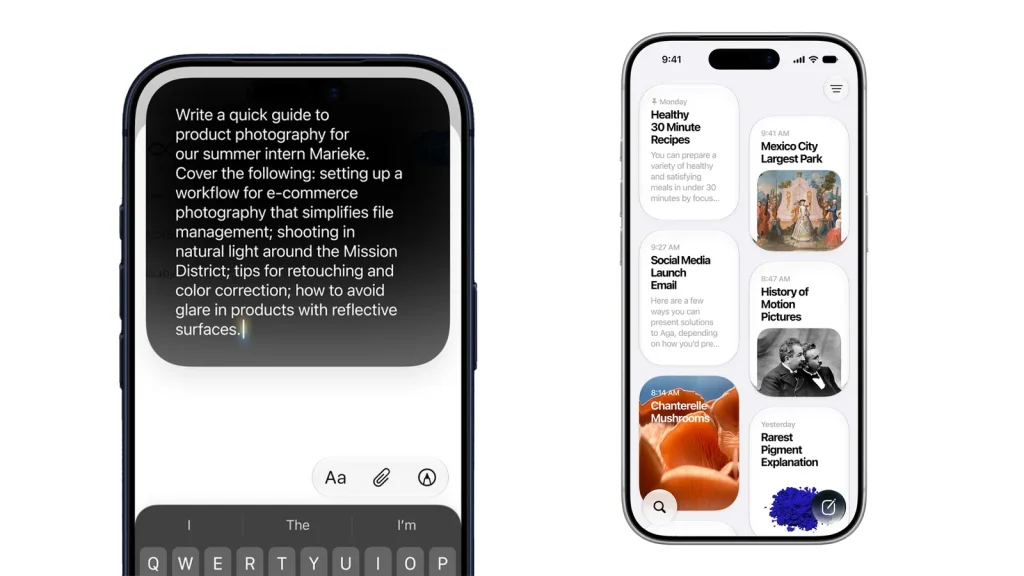
Image Credit – Wired
iOS 27 Supported iPhones
Here’s where it gets a little layered, since not every supported iPhone gets every feature.
- Basic iOS 27 compatibility covers the iPhone 11 and later, including the second-generation iPhone SE- the exact same list as iOS 26, so nothing got dropped this year.
- Apple Intelligence and standard Siri AI features need an iPhone 15 Pro or newer- iPhone 15 Pro/Pro Max, iPhone 16 series, iPhone 16e, and iPhone 17.
- The most advanced on-device AI model– the one behind more expressive Siri voices and higher-accuracy dictation is limited to devices with at least 12GB of RAM. Right now, that’s only the iPhone 17 Pro, iPhone 17 Pro Max, iPhone Air, iPhone 18 Pro, iPhone 18 Pro Max, and iPhone Duo.
So, if you are on an older iPhone, you will still get the update, the performance improvements, and general refinements; you just won’t get the fanciest Siri AI capabilities until you are on newer hardware.
iOS 27 Update Problems and Fixes
As with pretty much every major iOS release, the first few days brought a familiar batch of complaints. If you are dealing with iPhone problems after the iOS 27 update, here’s what’s actually going on and how to handle it.
Battery Draining Faster Than Usual
This is the single most common complaint right now, and it’s mostly expected. Right after a major update, your iPhone is quietly indexing content, syncing iCloud data, and reprocessing photos in the background. All of which eats extra battery for a few days.
What to do:
- Give it 48 to 72 hours before judging battery life properly.
- Check Settings > Battery for any app using an unusually large share of power.
- Turn on Low Power Mode temporarily if it’s bothering you.
- Avoid heavy gaming or video editing right after updating, since that adds extra strain while the system’s still settling in.
The iPhone Running Warm
A slightly warmer phone for a day or two after updating is normal: same root cause as the battery drain, just showing up as heat instead. Removing a thick case for a while helps it cool down faster, and it should settle on its own.
Apps Crashing or Freezing
If a third-party app that worked fine before suddenly crashes or freezes, it’s very likely the developer has not pushed an update to match iOS 27 yet. Check the App Store for pending app updates: banking apps, games, and enterprise software are usually the slowest to catch up.
Siri AI Not Working as Expected
Some users are running into an eligibility or waitlist issue with the new Siri AI, separate from the device compatibility requirements above. If it’s not responding the way it should, double-check you are on a supported iPhone and give it a few more days as Apple continues the rollout.
When to Actually Worry
Most of this settles within a few days on its own. But if your iPhone stays unusually hot, keeps losing charge rapidly while just sitting idle, or keeps crashing well after the initial settling-in period, that’s not typical post-update behavior anymore, and it’s worth getting it looked at rather than assuming it will fix itself.
If the Problem Isn’t Going Away
A software update should not permanently drain your battery or make your iPhone run hot all the time. If it’s still happening a week or more after updating, the update may have simply exposed a battery or hardware issue that was already sitting under the surface.
Still dealing with battery drain, overheating, or a sluggish iPhone well after updating to iOS 27? Get it diagnosed and repaired by Rapid Repair. Genuine parts, a proper hardware diagnostic, and technicians who can tell you whether it’s really the software or something underneath that needs fixing.
Read – Apple’s “Surprise and Shine” Event 2026: Everything Announced on September
