

A MacBook black screen issue is unsettling because the laptop often behaves like it’s alive. You hear the startup sound. The keyboard lights up. The fan spins. Maybe charging works too. But the display stays completely black.
Sometimes the screen flashes briefly before going dark again. Sometimes it happens right after login. In other cases, the MacBook starts normally, but the display disappears after a few minutes.
Users usually describe this problem in three ways:
- MacBook black screen after startup
- MacBook screen gone black
- or simply “the MacBook turns on, but nothing appears”
The tricky part is that this issue can come from either software instability or physical hardware failure, and both look very similar initially.
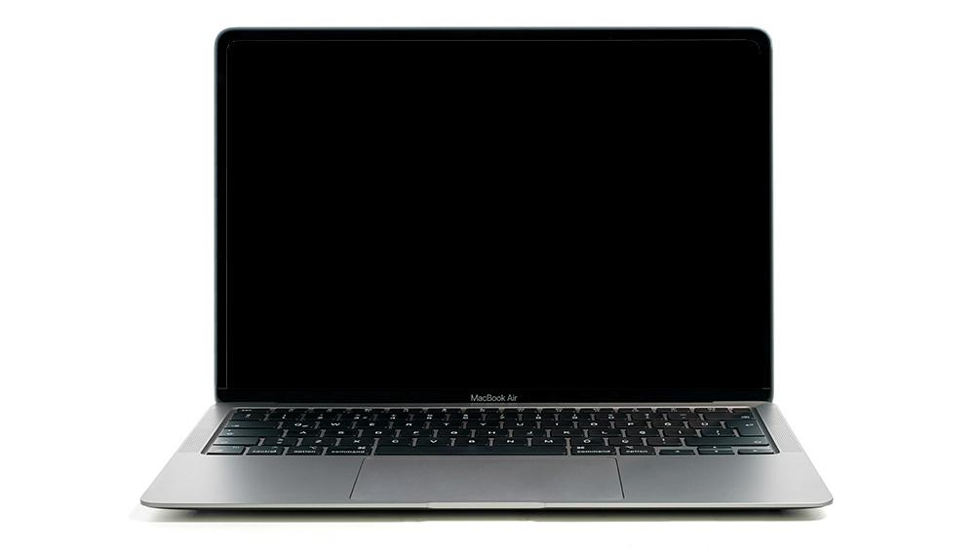
Source: Creative Bloq
Not Every Black Screen Means a Dead Display
This is the first misconception people have.
A black screen does not automatically mean the display itself is broken.
Sometimes the MacBook is functioning perfectly in the background, but something interrupts the display output process.
That distinction matters because the repair path changes completely depending on the cause.
The Most Common Software-Related Causes
A surprising number of black screen cases are software-related.
macOS Update Failure
This is extremely common after interrupted updates.
If the MacBook:
- shuts down during installation
- runs low on storage during update
- or encounters corrupted system files
The system may fail to load the graphical interface properly. The laptop powers on, but the screen remains black.
Sleep/Wake Glitches
Some MacBooks occasionally fail to wake the display after sleep mode.
You press keys.
Trackpad clicks respond.
But the screen stays dark.
This usually points toward temporary software or firmware instability rather than hardware damage.
External Display Conflicts
Sometimes macOS incorrectly routes display output to an external monitor that is no longer connected.
The MacBook technically boots normally, but the internal display never activates properly.
It looks dead even when the system is still running.
When the Problem Is Hardware-Related
This is where things become more serious.
Display Cable Damage
In many MacBook models, especially thinner ones, the display cable flexes constantly during lid movement.
Over time, repeated opening and closing can damage the connector or flex cable.
Typical signs:
- screen flickering before failure
- display working only at certain angles
- backlight disappearing gradually
Eventually, the screen goes black entirely.
Source: PC Mag
Logic Board or GPU Failure
A black screen can also originate from:
- motherboard faults
- graphics chip instability
- power delivery issues
Usually, these cases are accompanied by:
- overheating
- random shutdowns beforehand
- charging inconsistencies
- repeated crashes before failure
First Things You Should Try Before Panicking
Not every black screen requires immediate repair.
A few troubleshooting steps are worth attempting first.
Force Restart the MacBook
Hold the power button for around 10 seconds until the MacBook shuts down completely.
Wait briefly, then restart normally.
Sometimes the system simply gets trapped during startup.
Increase Screen Brightness
It sounds obvious, but it genuinely happens.
Some users mistake extremely low brightness for a dead display after certain updates or resets.
Disconnect External Accessories
Remove:
- external monitors
- USB hubs
- hard drives
- adapters
Then restart the MacBook.
External display conflicts occasionally create startup display issues.
Try Safe Mode
Booting into Safe Mode can help determine whether startup software is causing the black screen.
If the display works normally in Safe Mode, the issue is likely software-related.
When the Black Screen Probably Needs Repair
This is where patterns matter.
If:
- the display flickered before failing
- the screen briefly appears then disappears
- external monitor works but internal screen stays black
- or the MacBook overheats repeatedly
then hardware diagnosis becomes necessary.
Especially if the issue keeps returning after resets or software restoration.
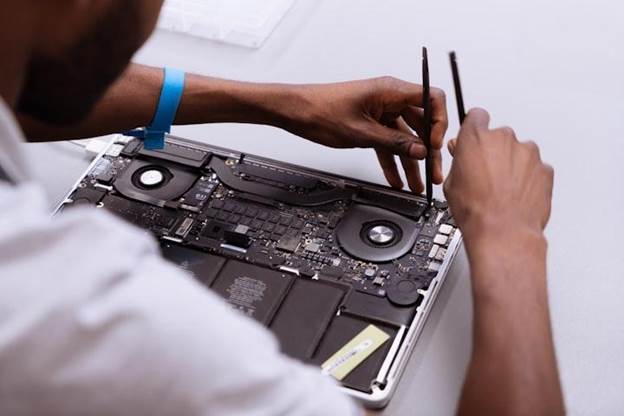
Source: Vocal Media
What Affects MacBook Black Screen Repair Cost?
The MacBook black screen repair cost depends entirely on the actual fault.
Software repair costs are obviously lower.
But hardware-related cases vary significantly:
- display cable repairs
- screen replacement
- motherboard repair
- GPU-related fixes
A damaged flex cable is far cheaper than replacing an entire Retina display assembly.
That’s why proper diagnosis matters before quoting repair costs.
How Rapid Repair Handles Black Screen Cases
Rapid Repair approaches black screen problems by identifying whether the fault begins from:
- software corruption
- display assembly failure
- backlight issues
- motherboard instability
- or graphics-related faults
Instead of immediately replacing the macbook screen, the device is tested first to isolate the exact cause.
That approach prevents unnecessary part replacement, which is extremely important with expensive MacBook displays.
Once diagnosed, the Macbook repair is carried out using model-compatible components and tested thoroughly before return.
One Mistake People Commonly Make
They assume the screen itself is dead immediately.
In reality, many black screen issues originate from:
- software corruption
- display cables
- backlight circuitry
- motherboard instability
Replacing the entire display without diagnosis can become an expensive guess.

Source: CNN
A MacBook screen gone black issue feels dramatic because the laptop becomes partially functional in a very confusing way.
The system may still be running. The keyboard may light up. Charging may continue normally.
But the display refuses to cooperate.
Sometimes the problem is minor software instability. Sometimes it points toward deeper hardware faults developing gradually over time.
The important thing is not assuming the cause too early.
Because with MacBooks, the symptom you see is not always where the real problem begins.
Read – MacBook Screen Flickering? Causes and Fixes You Should Try First
FAQs
Why does my MacBook turn on but the screen stays black?
This can happen due to software corruption, display cable failure, backlight issues, motherboard faults, or graphics-related instability.
Can a macOS update cause a black screen issue?
Yes. Interrupted or corrupted updates can prevent the graphical interface from loading properly after startup.
How do I know if the screen itself is damaged?
If an external monitor works normally while the internal display stays black, the issue may involve the screen assembly, display cable, or backlight system.
Does a black screen always mean expensive repair?
No. Some black screen issues are software-related and can be resolved without major hardware replacement.
What is the average MacBook black screen repair cost?
The cost depends entirely on the fault. Software repairs are cheaper, while display or motherboard-related repairs vary significantly by model and damage level.
Can overheating cause black screen problems?
Yes. Long-term overheating can affect graphics components and motherboard stability, which may eventually trigger black screen issues.
When should I seek professional diagnosis?
If:
- the screen keeps going black repeatedly
- the display flickered before failure
- or resets and software recovery do not help
then professional inspection is recommended.
