

Your iPhone got wet. It may have fallen in the sink, got wet in the rain or been dropped into a bucket by mistake. Once the first panic is over, one question remains: Is there a way to recover my photos, messages, contacts, and other important data? The good news is that iPhone data recovery after water damage is possible, but a lot depends on how fast you move.
Act quickly, avoid common pitfalls and know how water impacts your device. This can be the difference between losing your data forever and getting it back.
What Water Does to Your iPhone
Water itself won’t destroy the data on your iPhone. What it actually does, if not treated at the earliest, is that it will start to rust and short the components on the logic board. These short circuits stop your phone from powering on, which makes it look like your data is gone. But in many cases, the data is still sitting right there on the chip, waiting to be accessed.
The bigger problem is corrosion. Once water gets inside your phone, it reacts with the metal components and starts corroding the circuit board. This is what makes recovery harder as time passes.
Data Recovery for iPhone: What You Should Do First
The first thing you need to do is turn off your iPhone if it is still on. Do not try to unlock it, do not plug it in, and absolutely do not try to charge it. Charging a wet phone causes a short circuit that can permanently damage the logic board and make data recovery impossible.
Do not shake the phone to try to remove water; the movement can lead to water ingress into parts of the phone from where it might not drain out. Wipe off the water from all sides with a cloth. Then keep the phone upright, with the charging port facing down, and leave it somewhere dry. Some people reach for rice, but rice is not actually effective at drawing out moisture from inside a sealed device. A silica gel pack works better if you have one. Also, do not try to blow-dry the phone, as sudden high temperatures are not conducive to the battery. Your real goal here is to stop corrosion from spreading before you get it to a professional.
Why Consider the Backup First Approach
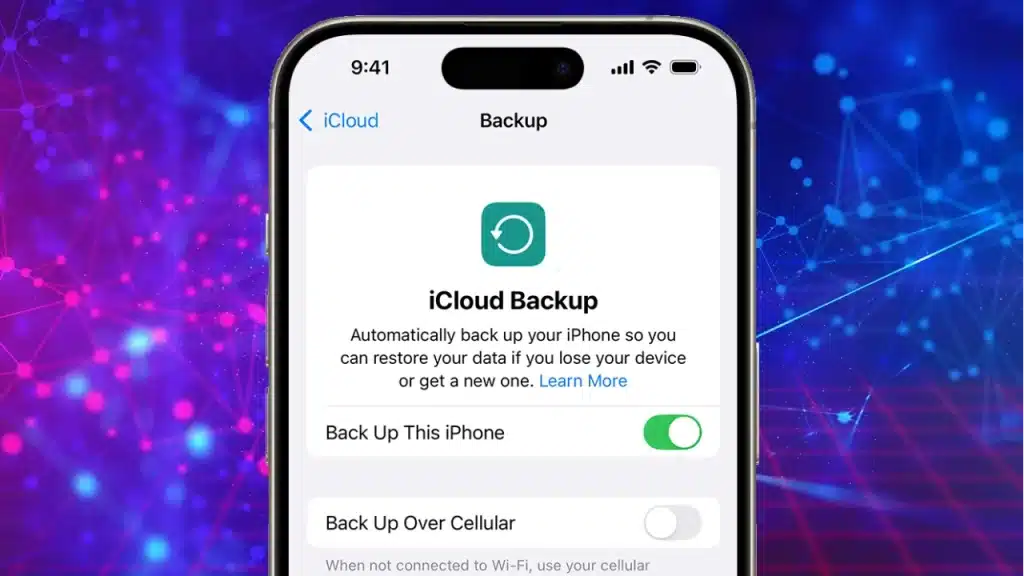
If you had a recent iCloud backup or had synced your phone with iTunes, this is not a crisis at all. You restore the backup onto a new or repaired phone, and your data is right there. This is by far the simplest path.
(Credit: Apple; issaro prakalung / Shutterstock / pcmag.com)
If your iCloud backup is current, you do not even need to recover data from the damaged phone. Just check your iCloud storage at iCloud.com from another device, confirm your last backup date, and proceed from there.
Read – How Often Should You Back Up Your Devices?
iPhone Water Damage Repair: Professional Recovery Options
If your phone will not turn on and you have no backup, professional data recovery is your best bet. In India, you will find a range of service providers, from local mobile repair shops to specialised data recovery labs.
Professional recovery usually involves cleaning the logic board with isopropyl alcohol to remove corrosion, then attempting to power on the device in a controlled environment. If the chip itself is intact, technicians can sometimes read data directly off the NAND flash storage chip.
This is called chip-off recovery, and it is the last resort when nothing else works.
Data Recovery for iPhone: What Affects Recovery Rate
A few things decide whether recovery will work for your specific phone.
- How long the device was in water matters a lot. A quick splash is very different from sitting in a full tub for hours.
- Saltwater is worse than freshwater because salt speeds up corrosion significantly.
- If the phone was powered on when it went into the water, that typically causes more immediate circuit damage.
- The iPhone model also matters. Phones from the iPhone 7 onwards come with varying levels of water resistance. iPhones rated IP67 or IP68 can handle short submersion, but that resistance degrades over time as seals wear out. So, an older iPhone 11 that has been dropped before may have compromised seals and suffer worse internal damage than expected.
- Lastly, the data recovery rate also depends on the skill of the technician at work. A trained and seasoned expert will know what and how to respond after checking the extent of rusting and corrosion on the components and connectors. Hence, make sure you reach out to the best available professional help at the earliest.
Conclusion
Not all water-damaged iPhones mean you will lose data forever. Water-damaged iPhone data recovery is often possible, particularly if you act quickly and avoid common mistakes like charging the device or repeatedly trying to turn it on. The sooner your phone is evaluated, the better the chances of recovering your valuable photos, messages, contacts and other important files.
If your iPhone has been damaged by water, do not risk your data.
At Rapid Repair, our experienced technicians use the latest diagnostic and recovery technology to give your device the best possible chance of having your data restored while we repair it. Whether it’s a little splatter or a big liquid mishap, we’re here to help you get back what matters most.
Water-damaged iPhone? Need professional help? Contact Rapid Repair today for quick, reliable iPhone diagnostics, repair and professional data recovery services.
